

MotherDuck
Two-way sync between MotherDuck and your other systems.
Introduction
MotherDuck is a cloud analytics platform built on top of DuckDB, designed to deliver fast and efficient data analysis in the cloud. By combining the simplicity of DuckDB with the scalability of cloud infrastructure, MotherDuck allows teams to run complex queries on larger datasets without needing extensive infrastructure. It integrates seamlessly with popular data tools, offering a user-friendly experience for data engineers, analysts, and developers who seek powerful, scalable analytics in a lightweight platform.
Authorize MotherDuck
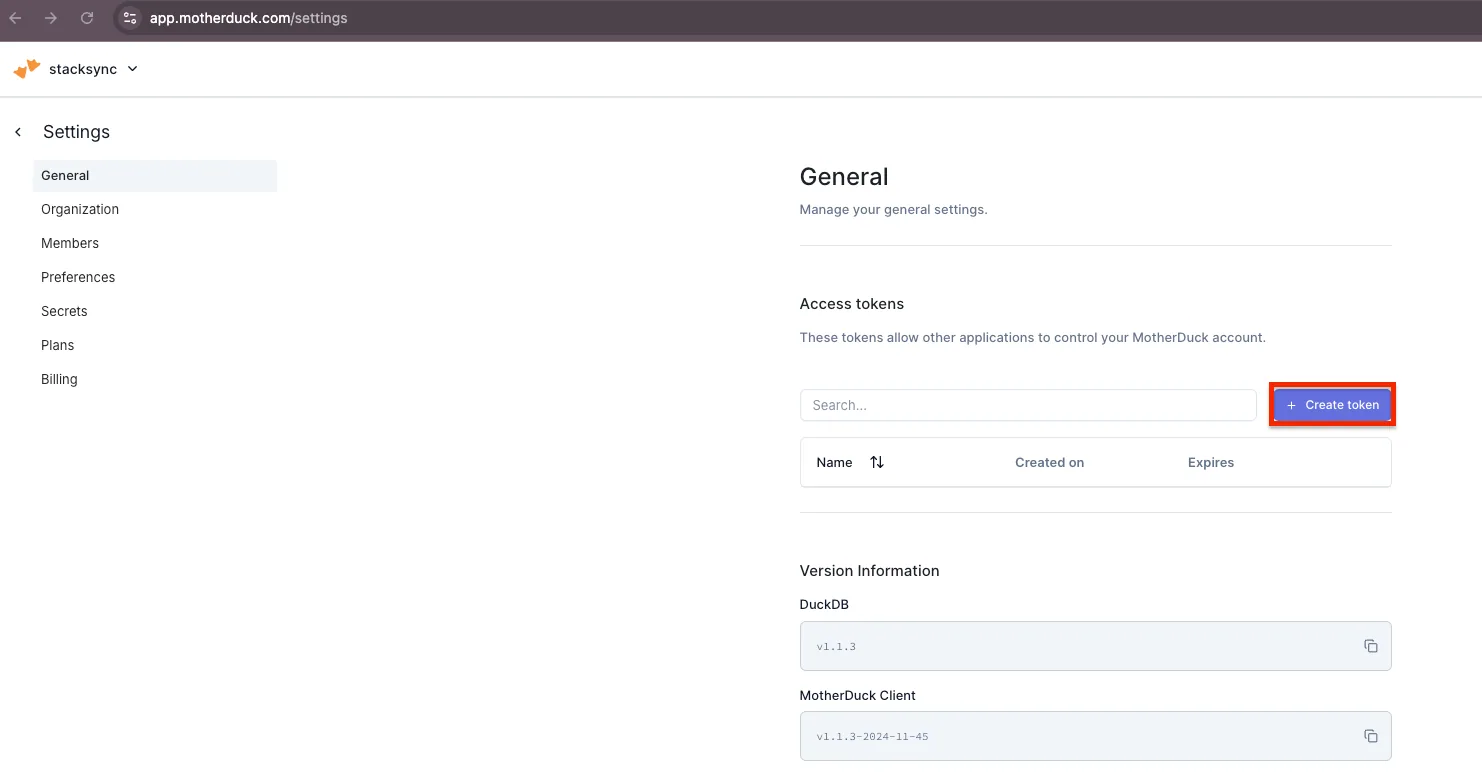
- In MotherDuck, navigate to Settings > General and select Create Token.
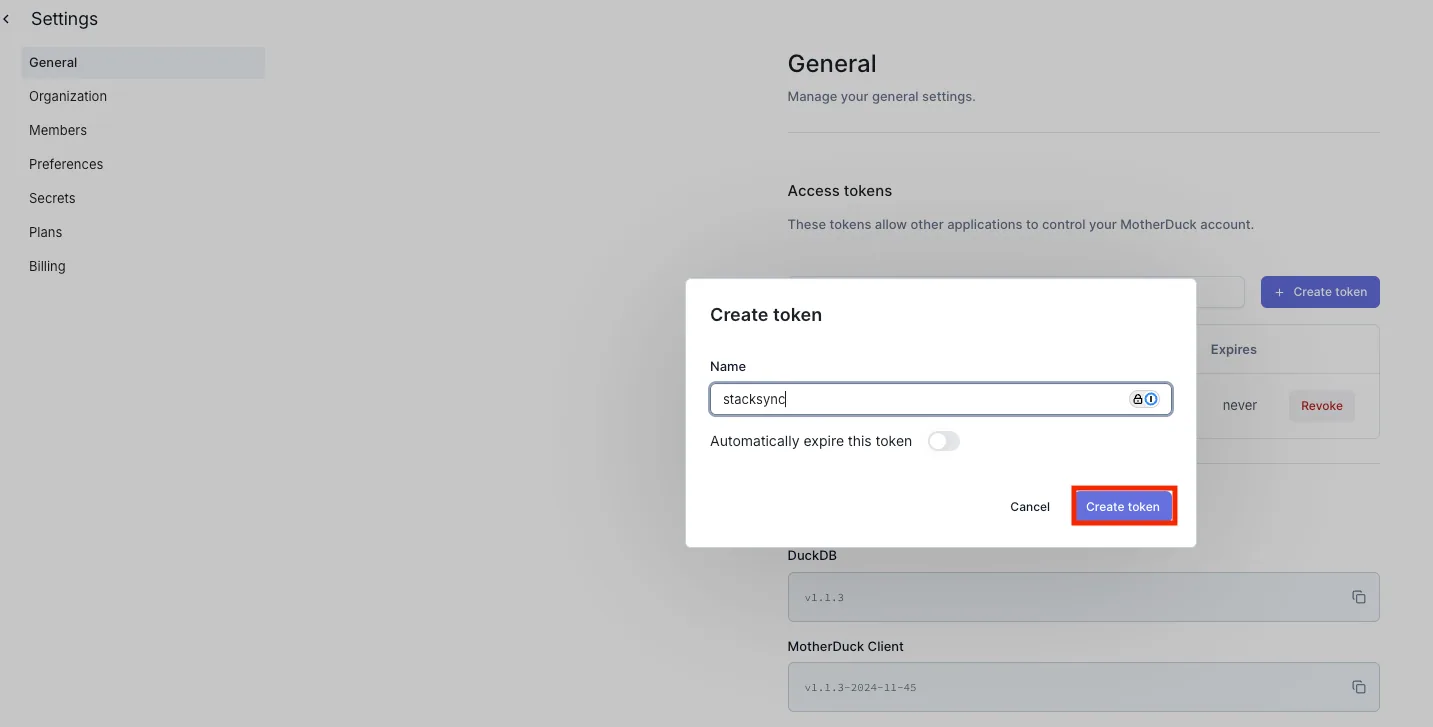
- Enter a name for your token, then click Create.
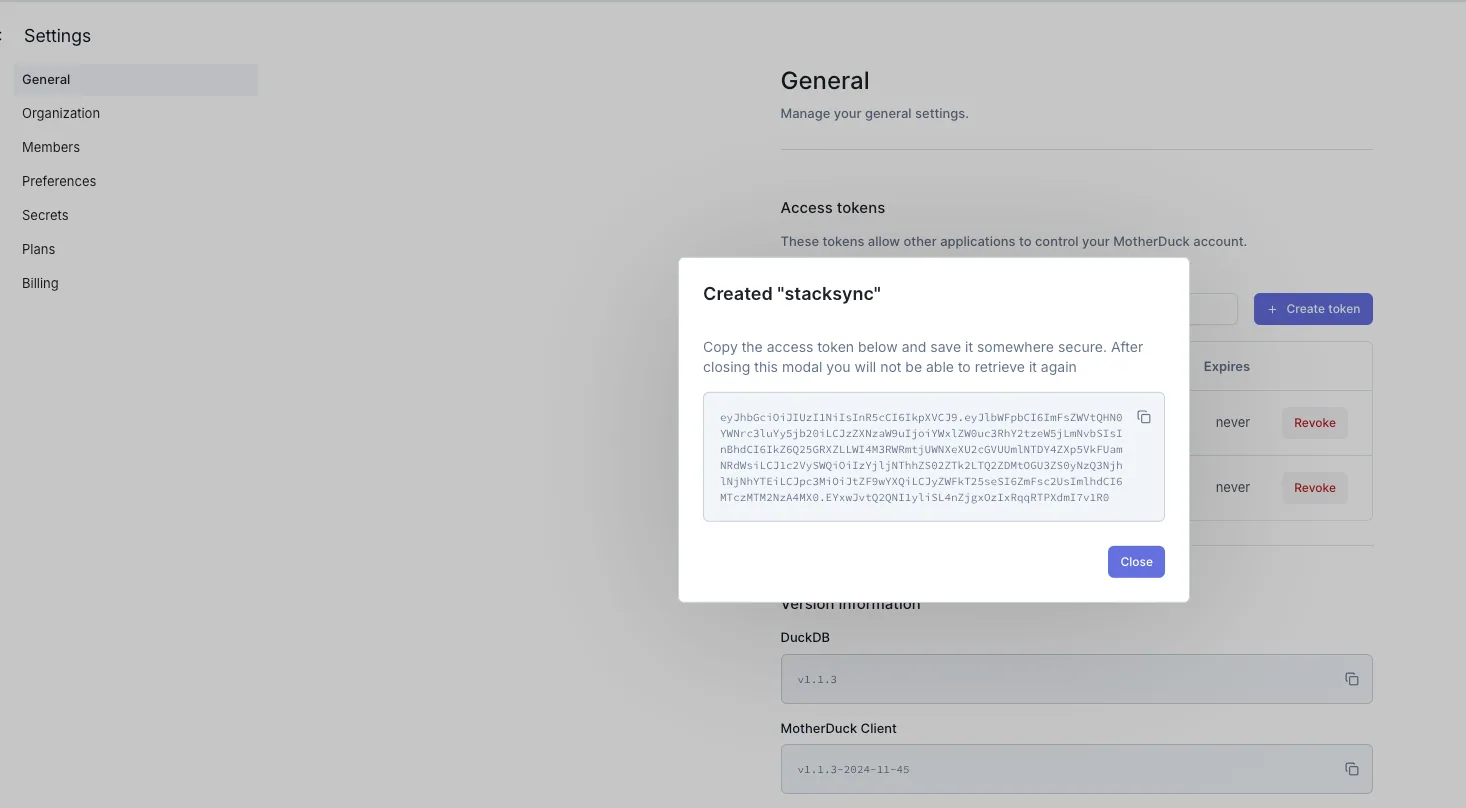
- Copy the generated access token.
- Log in to Stacksync and click on Connections > Create new connection.
- Search for MotherDuck and select it.
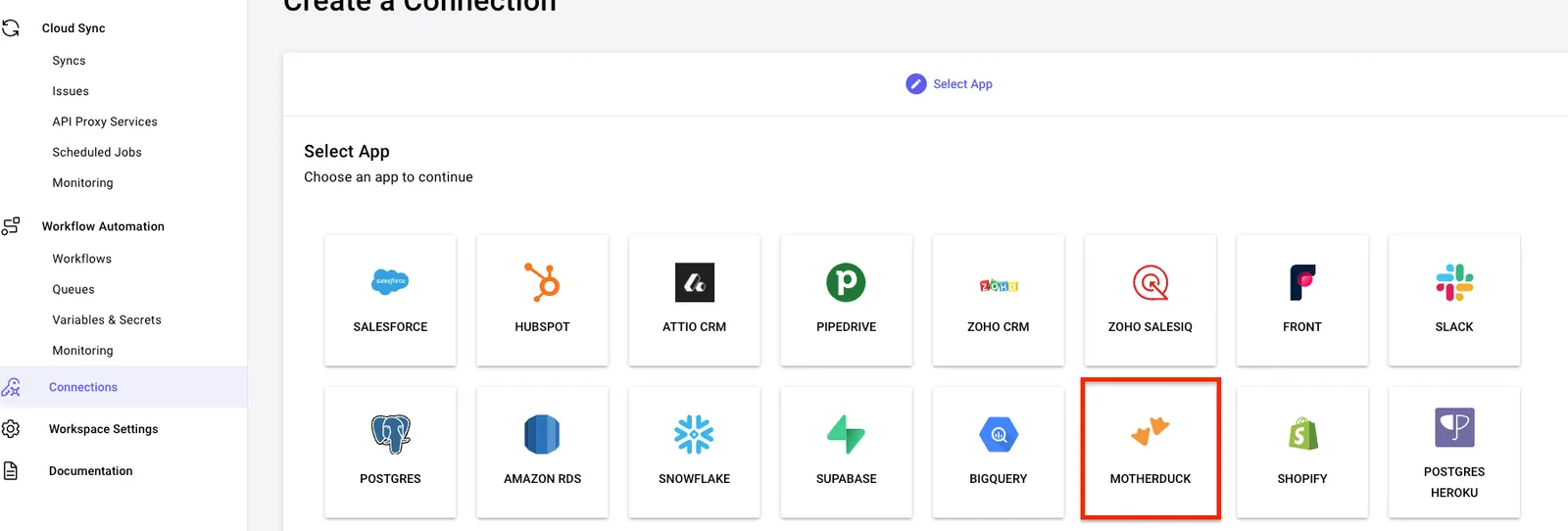
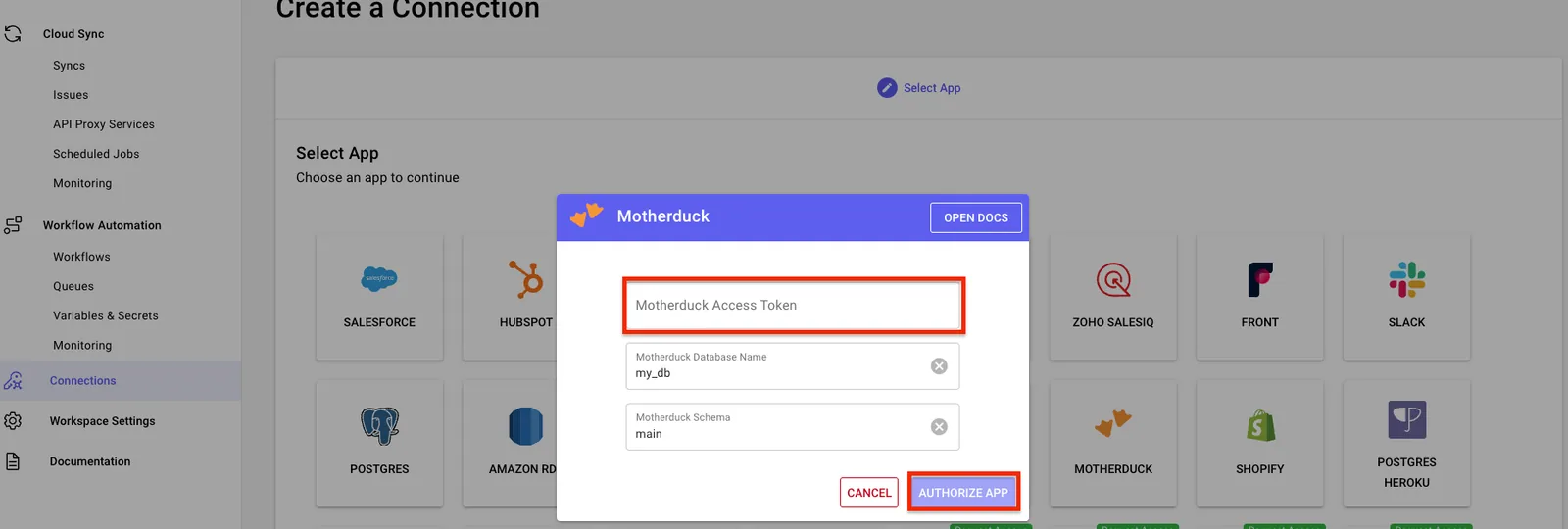
- Paste the access token here. If you're using a database name or schema other than the default, update those settings accordingly.
You can now use your MotherDuck connection in a sync!