

Paginating with a workspace variable
APIs return one page at a time. To get the next page you need a cursor that says where the last page ended. A for loop can't carry that cursor between runs, and looping through everything in one go hits the 300-second timeout.
The fix: do one page per run, save the cursor in a workspace variable, and have the workflow re-trigger itself until there are no pages left.
Setup
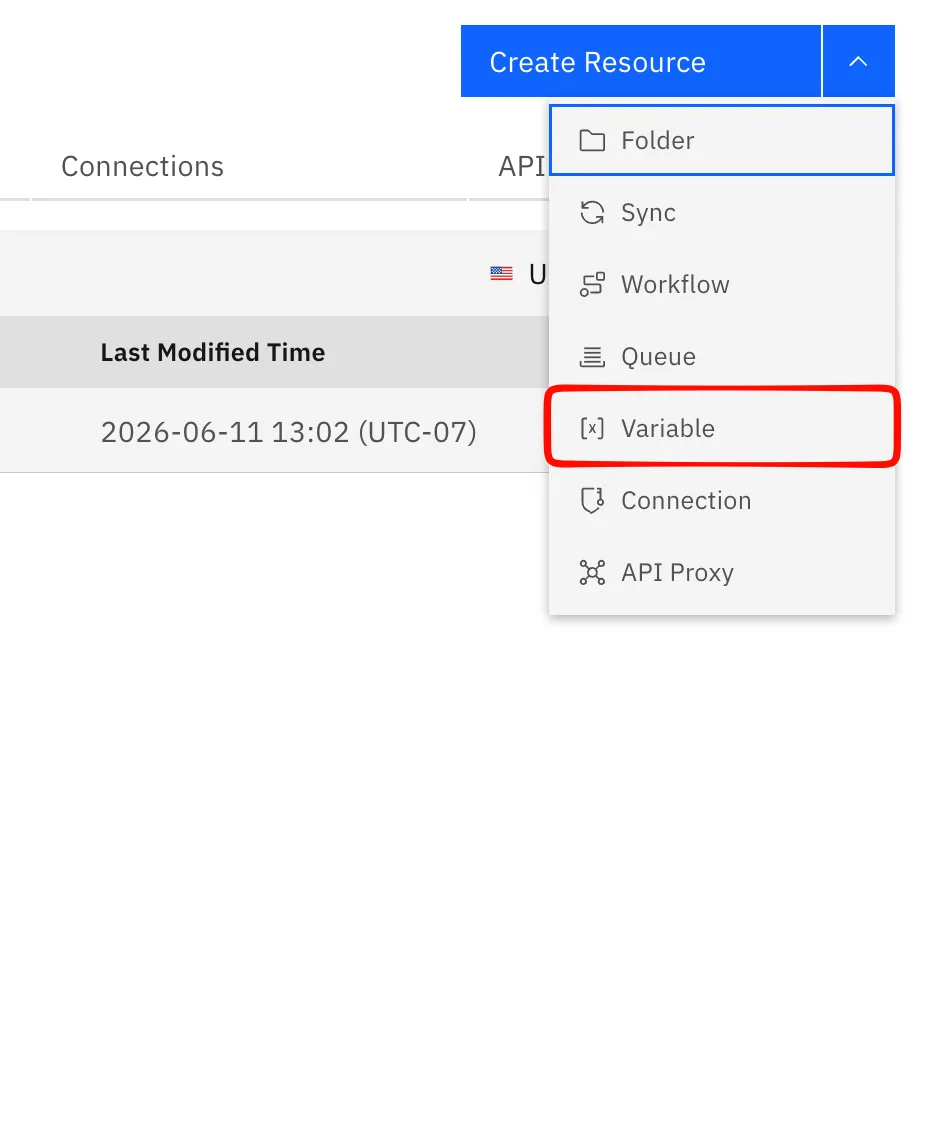
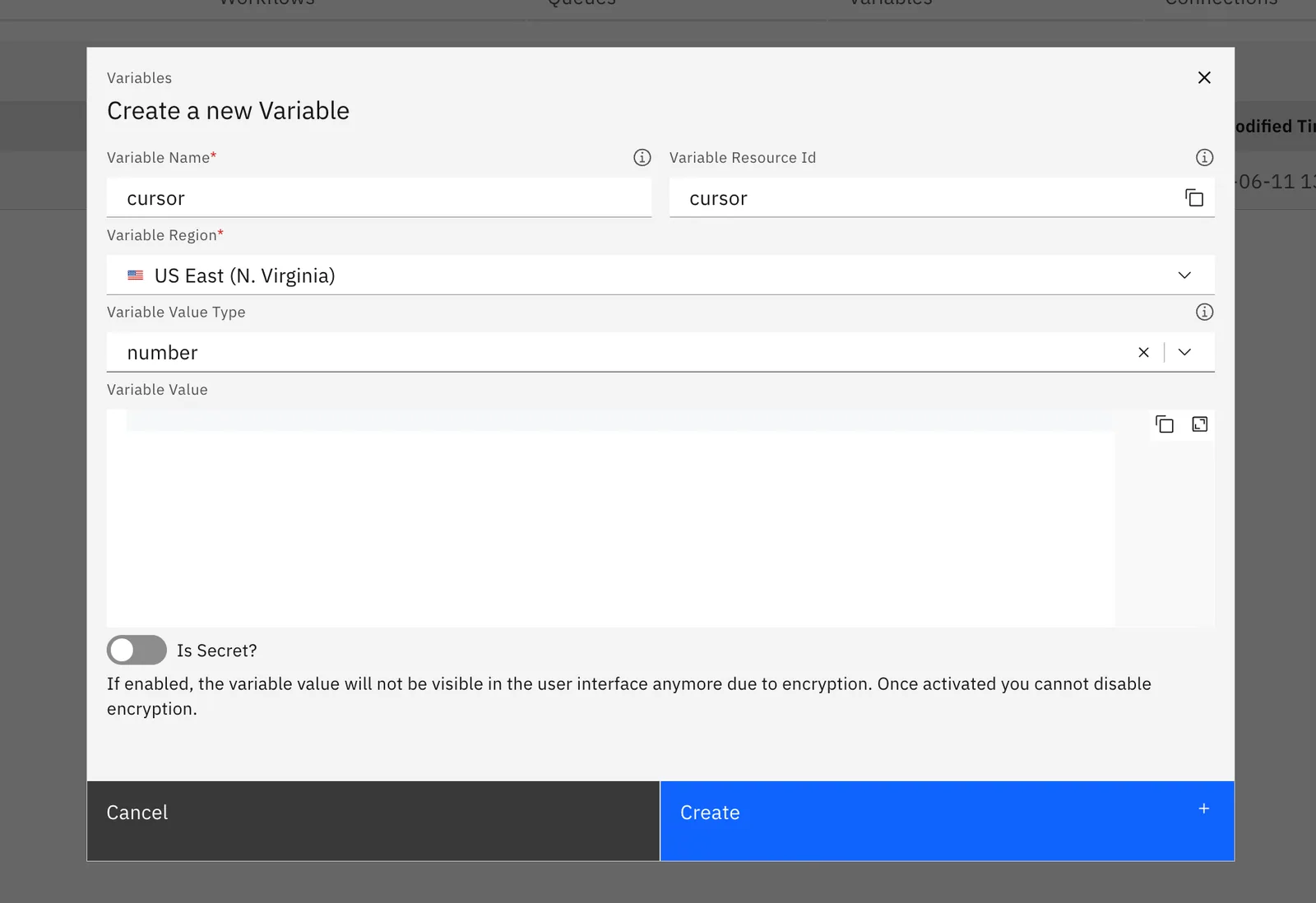
Create a workspace variable called cursor (Variables & secrets), type number, value 0. Reference it as {{ WORKSPACE_VARIABLES.cursor }} in the workflows.
The workflow
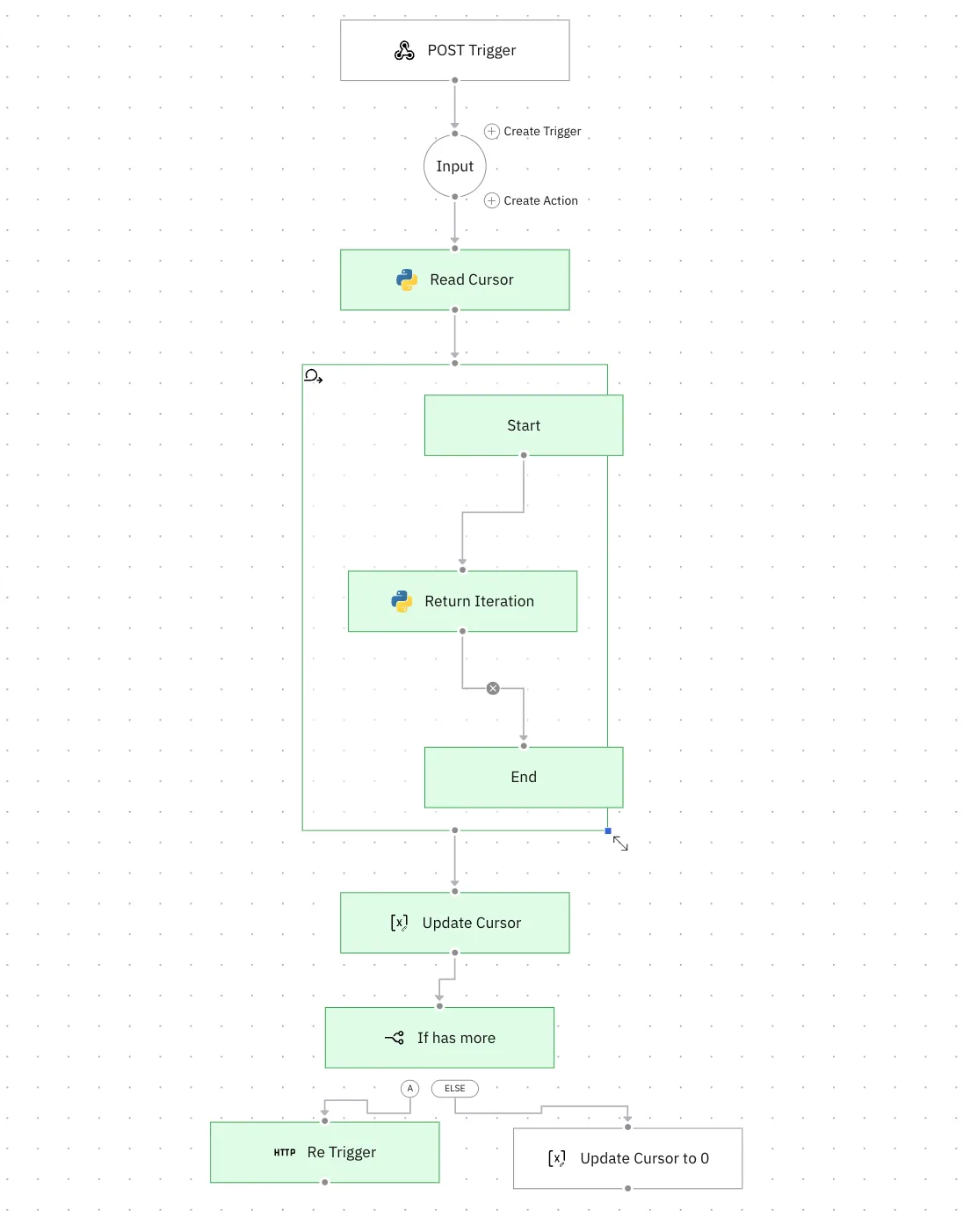
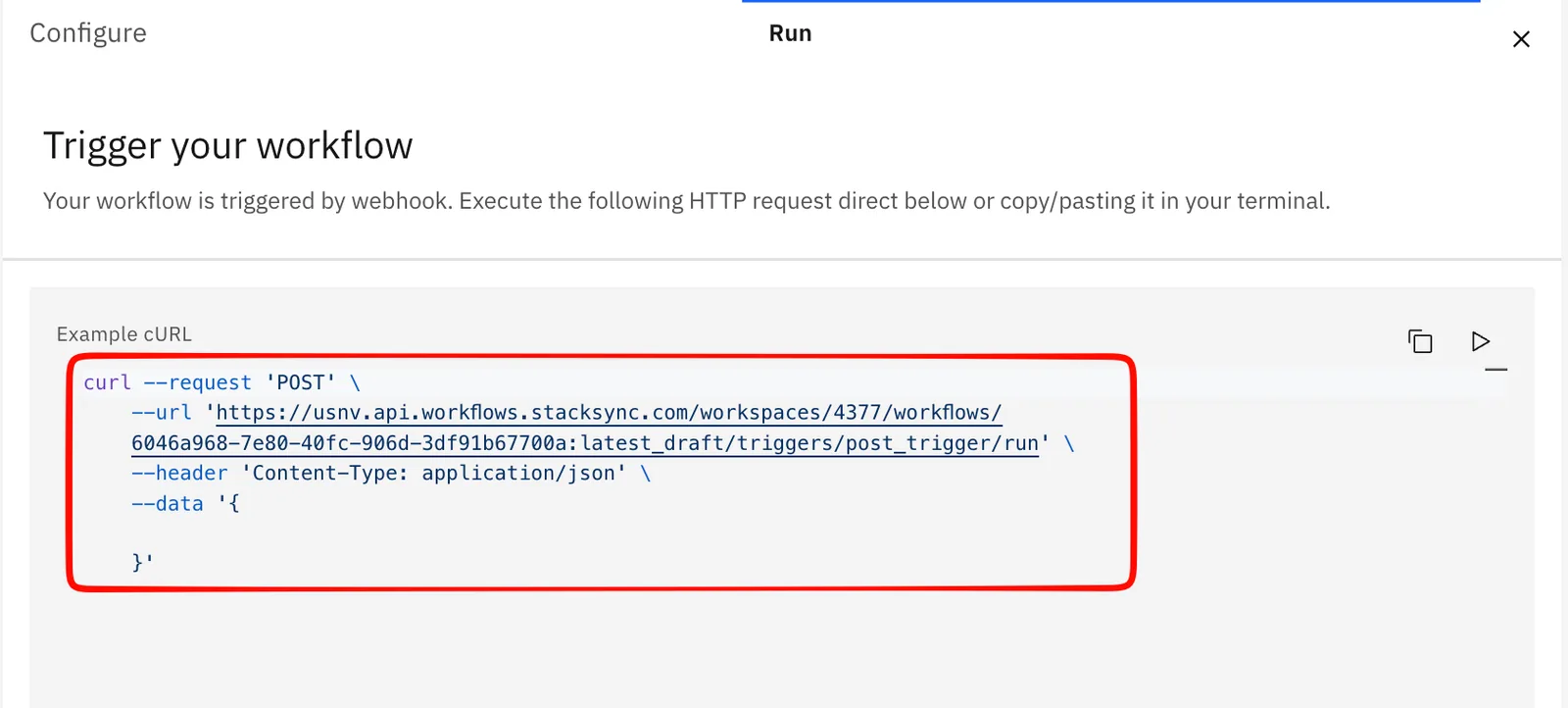
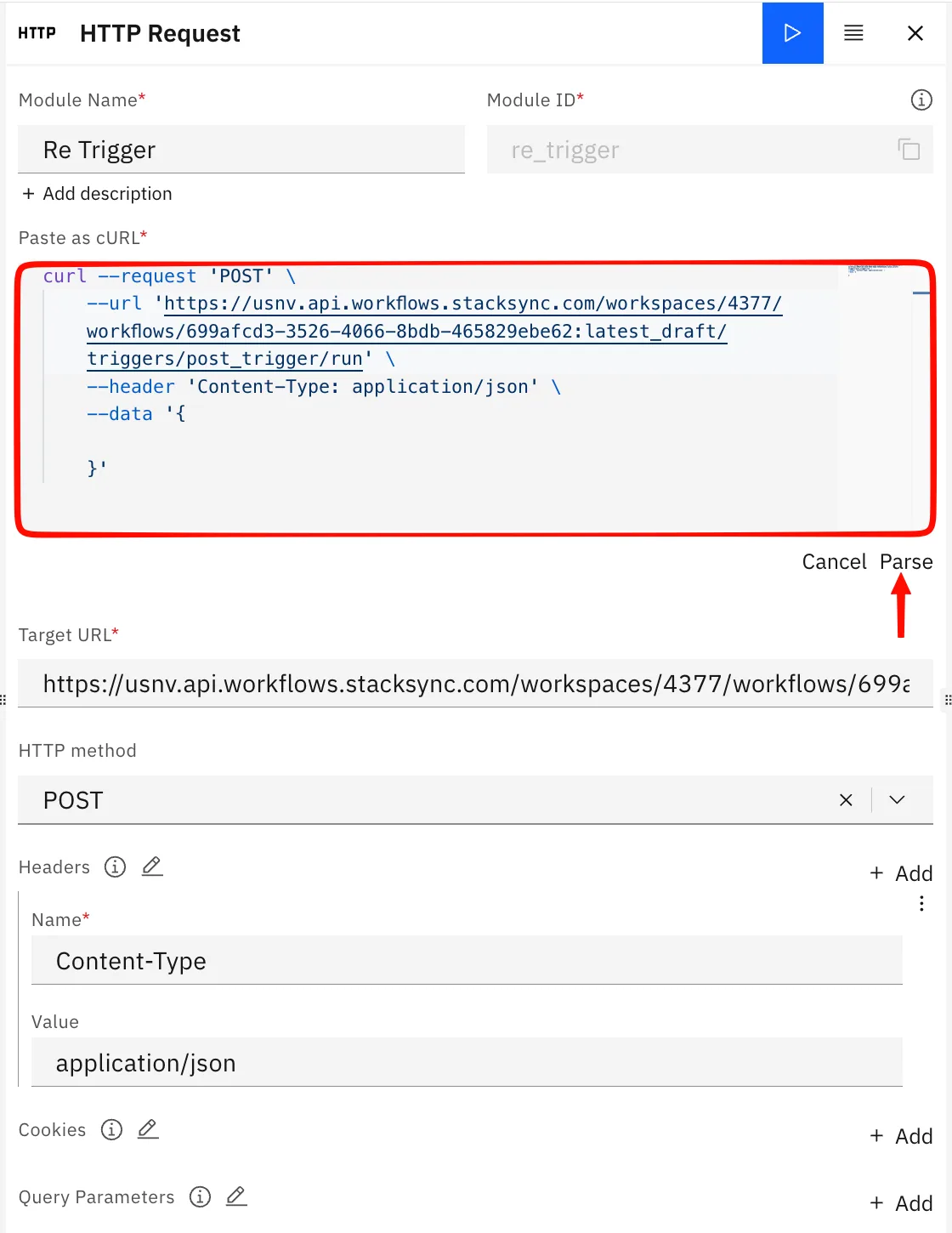
- Trigger - Choose the default trigger available when you open a new workflow. Copy the curl command as we will be using it to re-fire itself for each page.
-
Input - wire the trigger in.
-
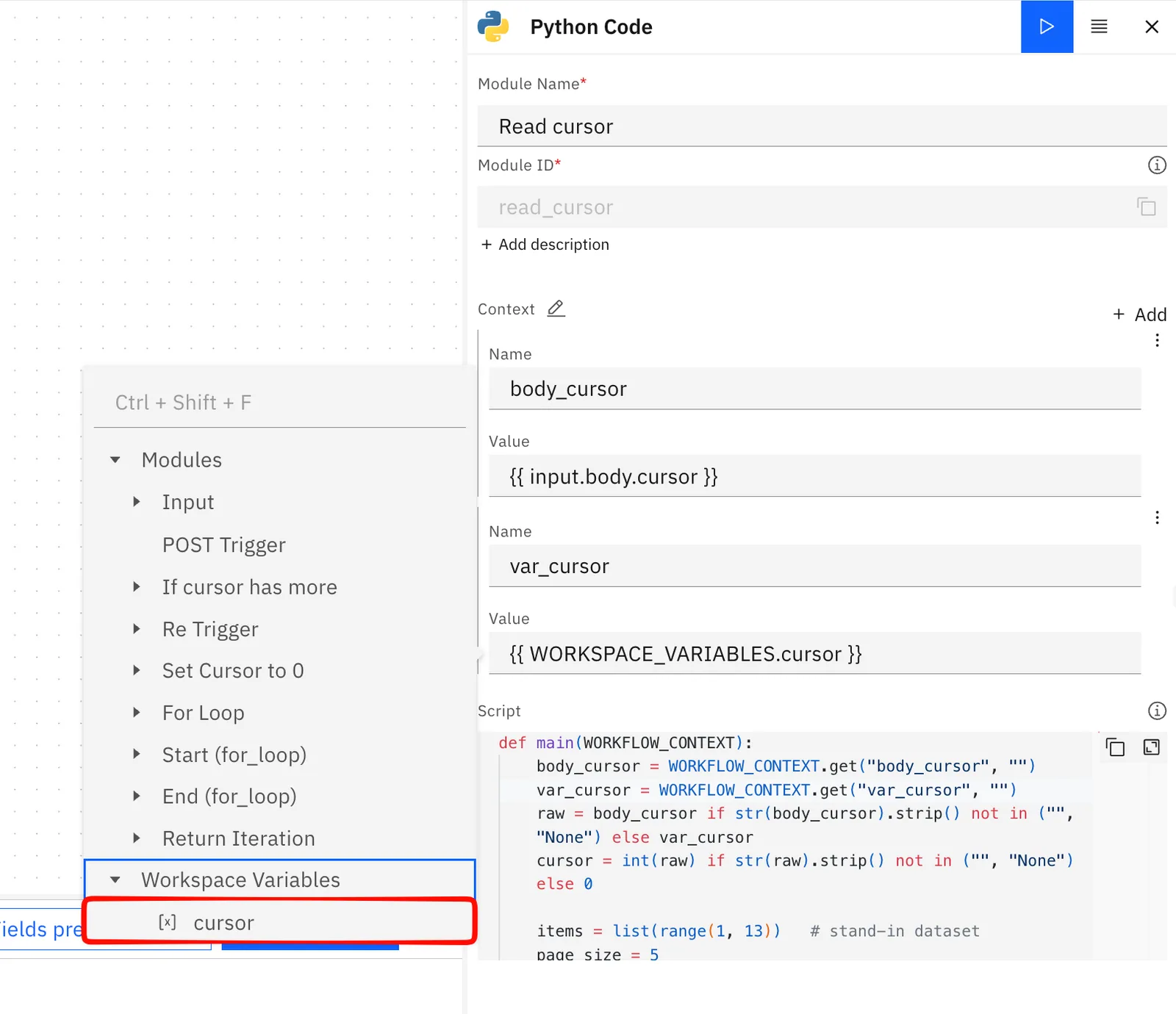
Read cursor (Code) - get the cursor, fetch one page, output the next cursor and whether more pages exist. Bind
body_cursor→{{ input.body.cursor }}andvar_cursor→{{ WORKSPACE_VARIABLES.cursor }}. -
   def main(WORKFLOW_CONTEXT):
       raw = WORKFLOW_CONTEXT.get("cursor", "")
       cursor = int(raw) if str(raw).strip() not in ("", "None") else 0

       items = list(range(1, 13))   # replace with your real source
       page_size = 5
       page = items[cursor:cursor + page_size]

       return {
           "page": page,
           "next_cursor": cursor + page_size,
           "has_more": (cursor + page_size) < len(items),
       }
-
For loop over
{{ read_cursor.page }}— your per-record work. This loops through each index for the page and you can check each run in the child iterations of the execution logs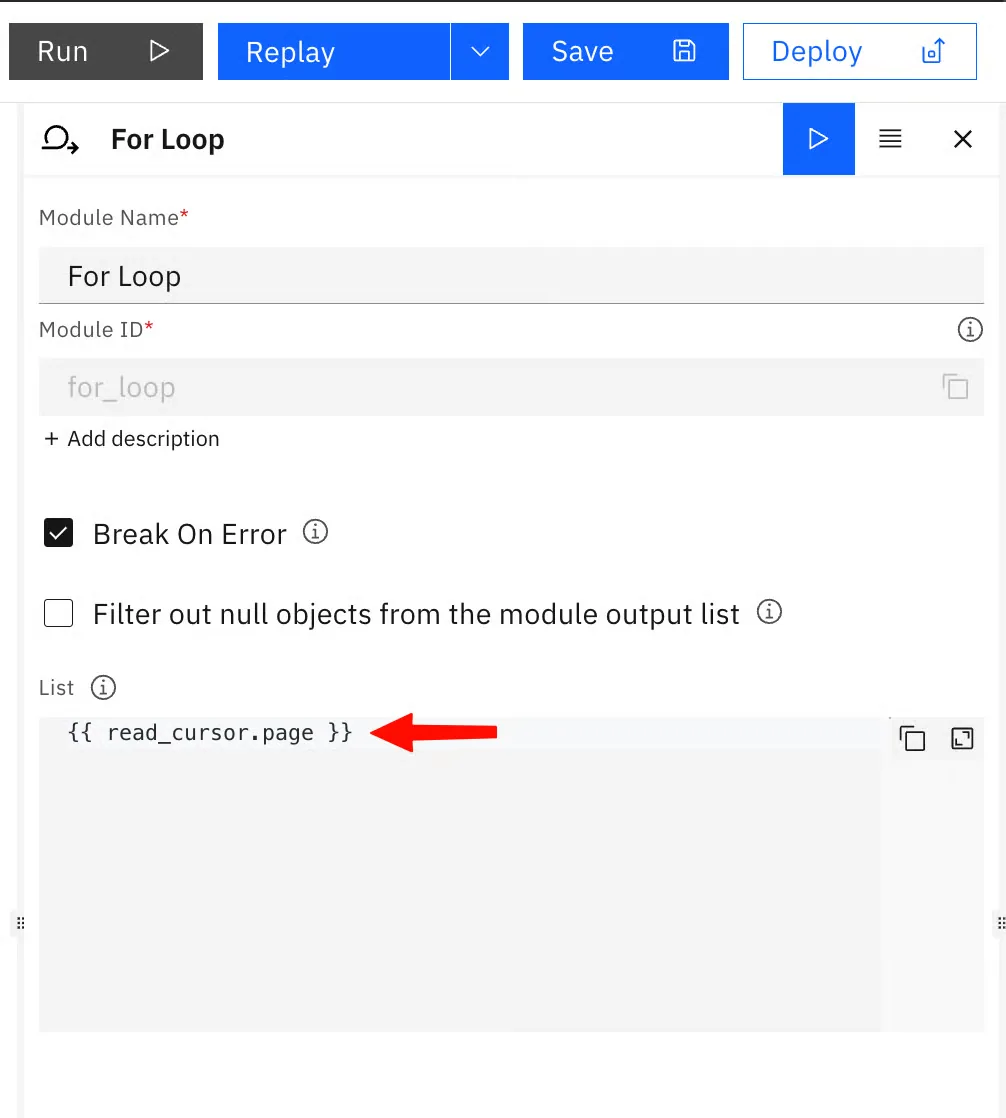
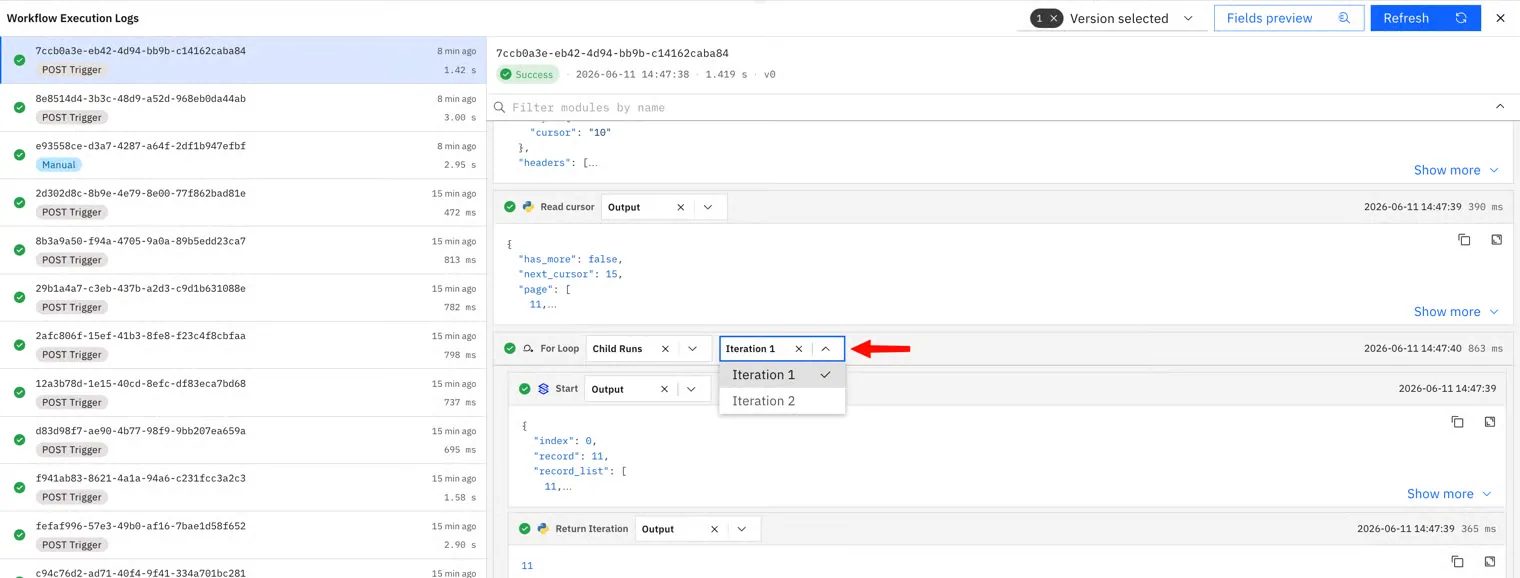
-
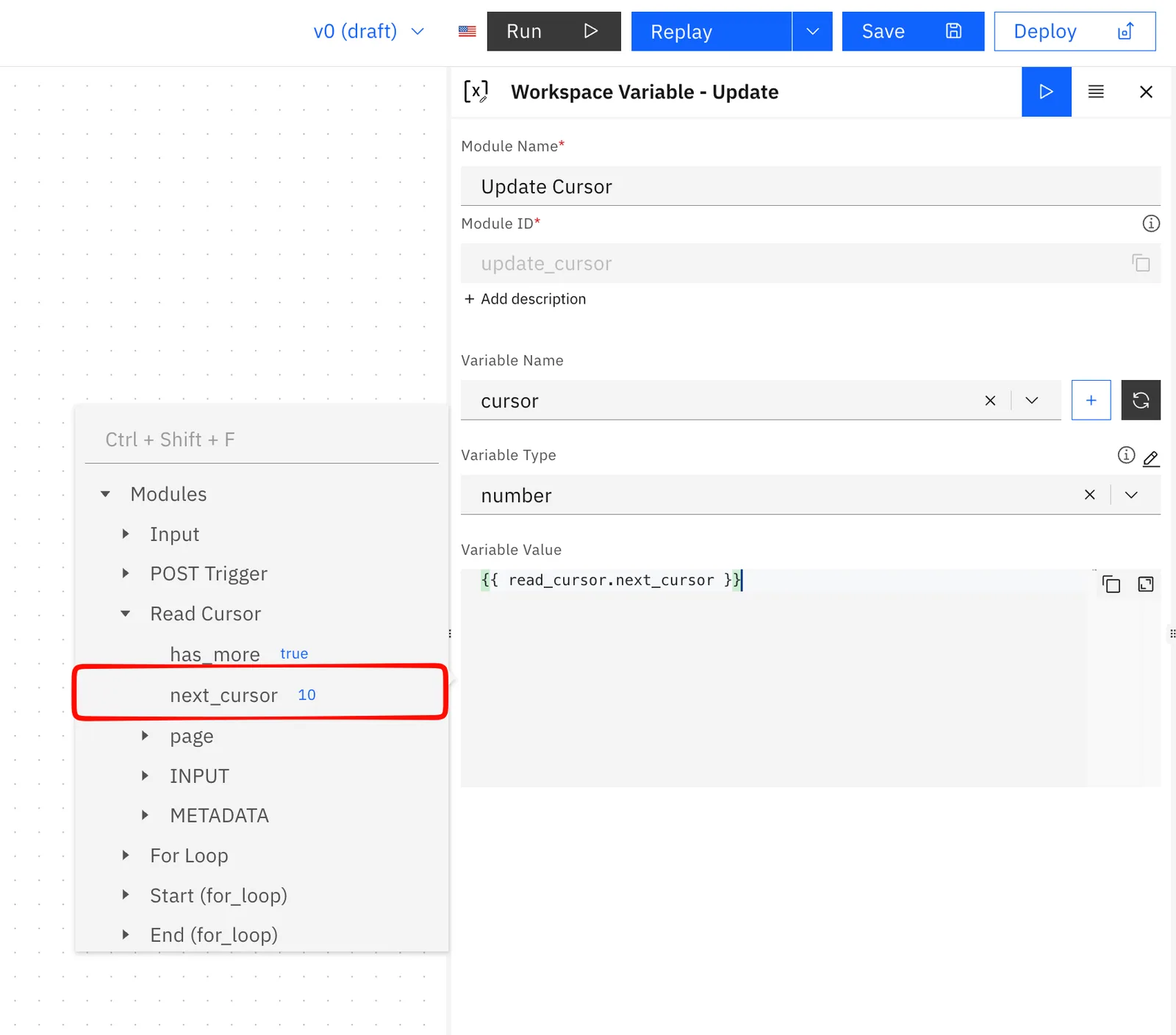
Update Workspace Variable - set
cursorto{{ read_cursor.next_cursor }}. This advances the saved cursor so the next run reads the new value.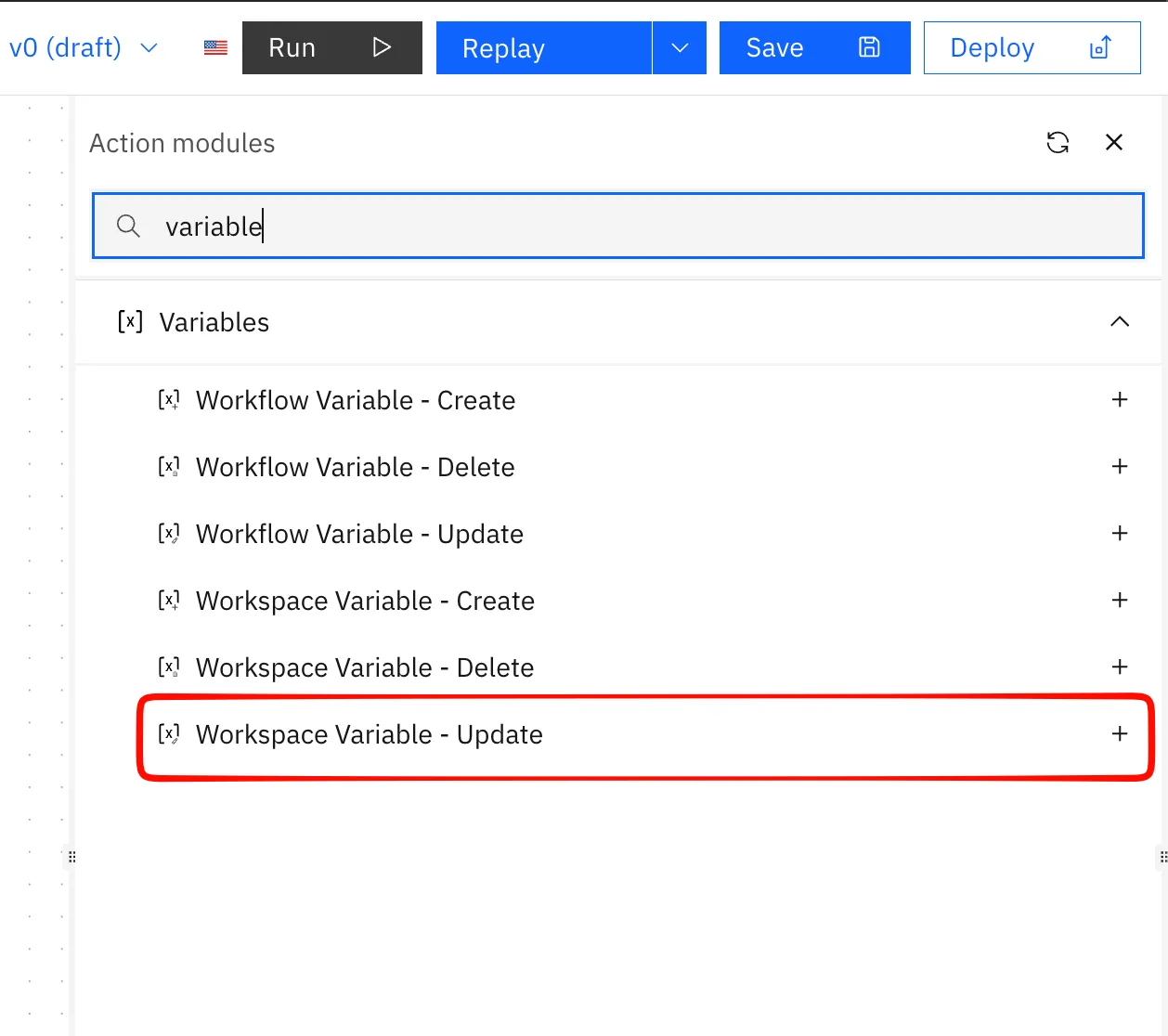
-
If/Else on
{{ read_cursor.has_more }} == true:- true → HTTP Request, POST to the trigger's webhook CURL and parse it
- false → Update Workspace Variable set
cursorback to 0, then stop.
Swap in a real source
Replace the stand-in list in step 3. Only the cursor and the "more pages" check change:
| Source | next cursor | more pages? |
|---|---|---|
| GraphQL (Shopify) | endCursor | hasNextPage |
| Cursor REST (HubSpot) | paging.next.after | paging.next exists |
| Database | last row's id | full page returned |
Watch out for
- Use the Update Workspace Variable node, not "Update Workflow Variable." They look identical but write to different stores; mixing them up means your cursor never actually moves and the workflow loops forever on the same page.
- Timeout: keep the page size small so each run finishes well under 300 seconds.