See Stacksync in action with a solution architect. Book a demo β†—

Authorize Attio

Authorize your Attio app and sync data with Stacksync

Attio connection is done without any coding required in a few steps.

1. Click on "Connections"
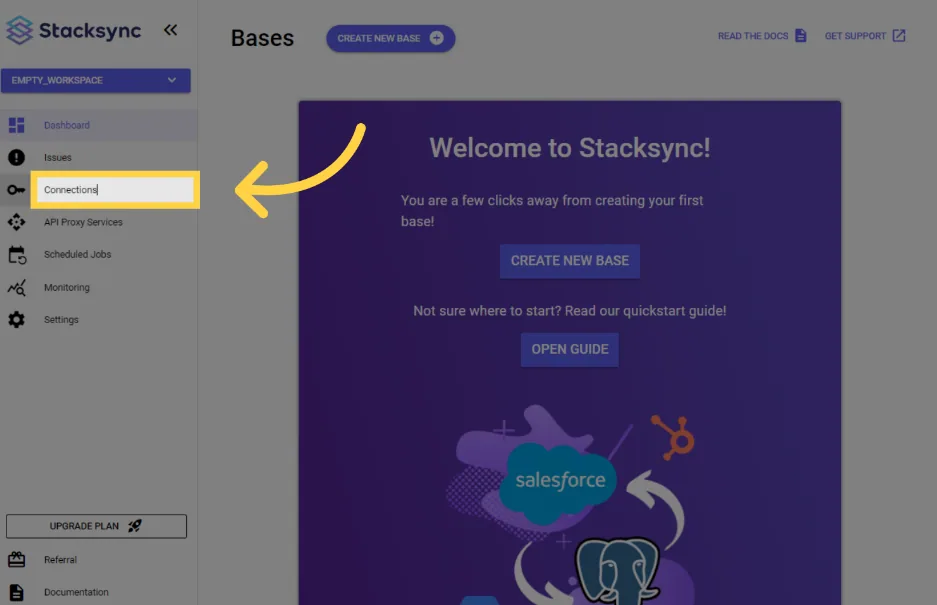
Legacy Stacksync dashboard with an arrow pointing to "Connections" in the sidebar

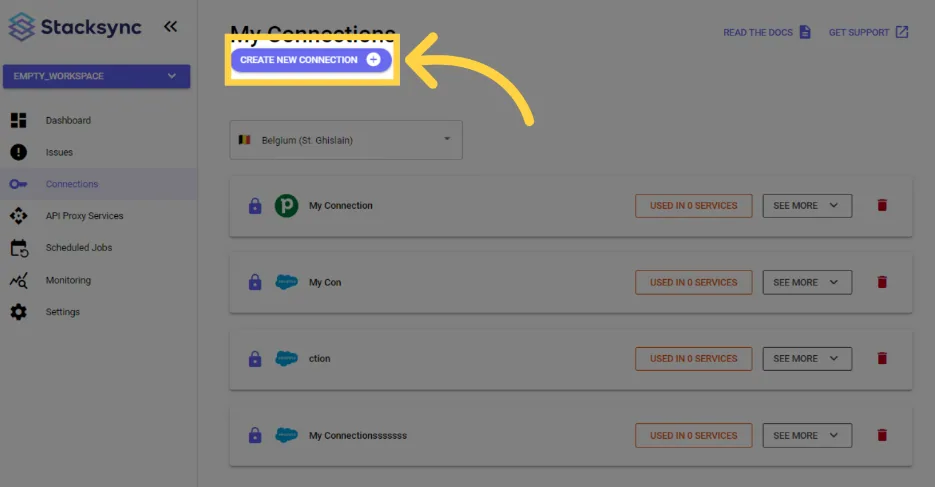
2. Click "create new connection"

Legacy Stacksync My Connections page with an arrow pointing to the "Create New Connection" button

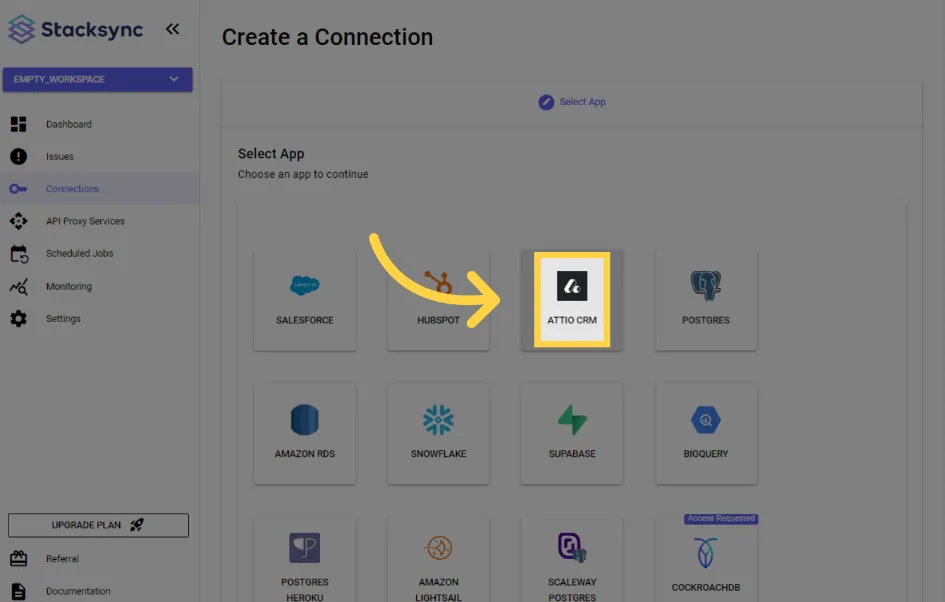
3. Click "Attio CRM"

Legacy Stacksync "Create a Connection" app picker with an arrow pointing to "Attio CRM"

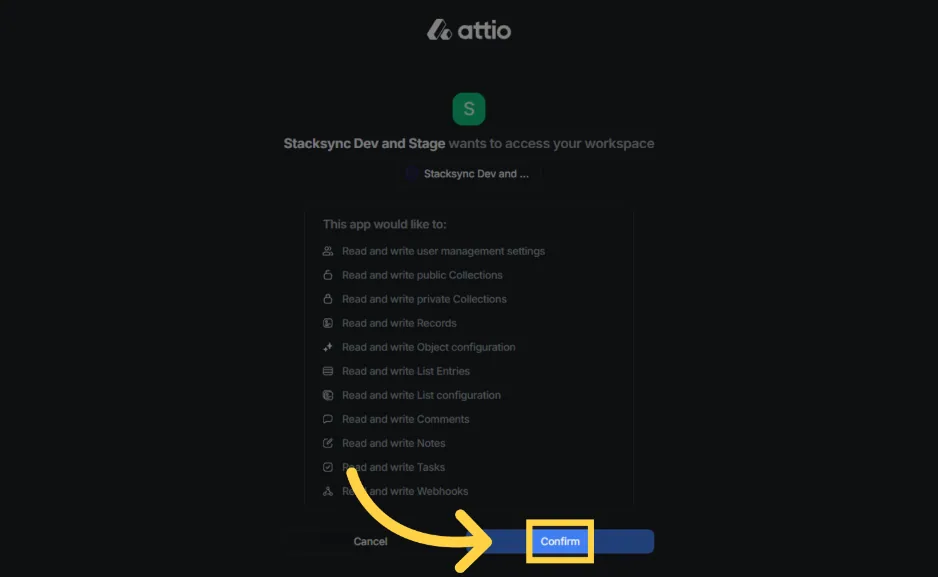
4. Click "Confirm"

Attio consent screen listing read/write permissions for Stacksync, with an arrow pointing to "Confirm"

That's it! Your Attio instance is now connected to Stacksync!πŸŽ‰

On this page