

Capture Field History
Stacksync can maintain a full field-level change history for any connected source, including Postgres, Salesforce, and HubSpot. Every insert, update, and delete is recorded as a row that captures the previous value, the new value, and exactly which fields changed.
How it works
Producer. A trigger on your source watches for inserts, updates, and deletes. Each change is pushed onto a queue, which buffers and flushes in batches. Turn on historical backfill to record a baseline version of every existing row up front.
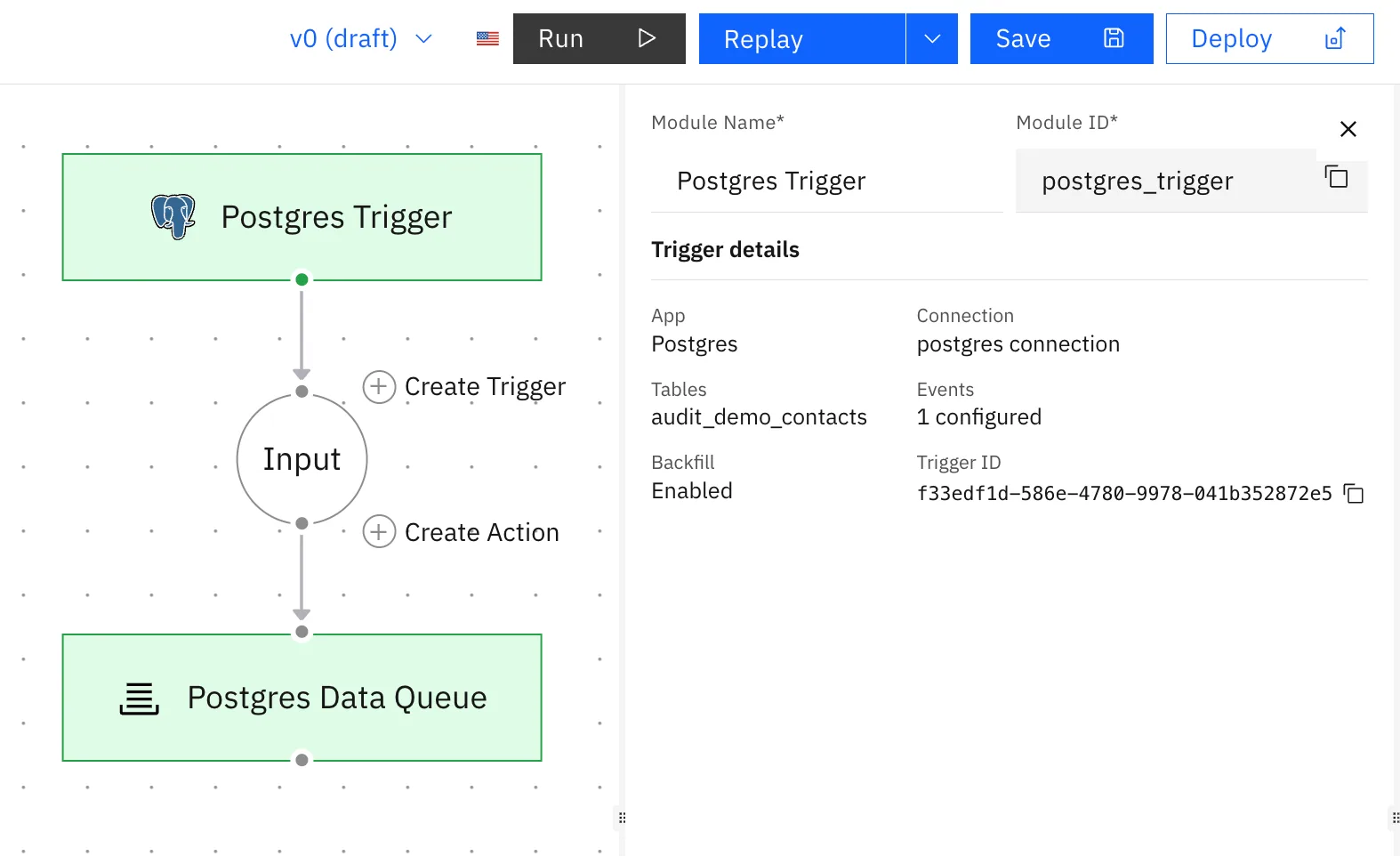
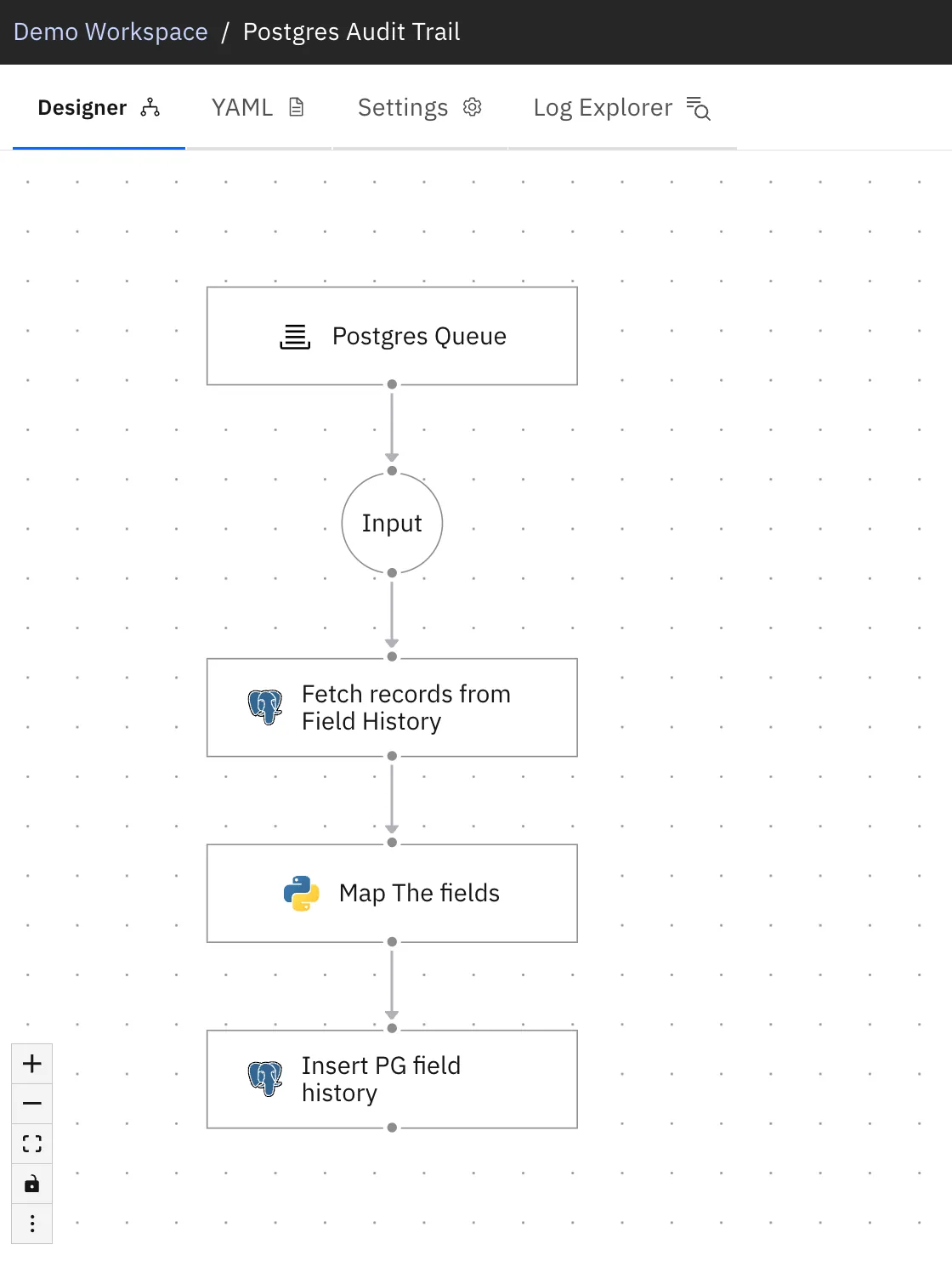
Consumer. Reads changes off the queue and, for each one:
- Looks up the record's most recent stored version in the history table. This is the old value.
- Pairs it with the change from the queue. This is the new value.
- Computes the field-level diff.
- Writes one history row holding the old version, the new version, and what changed.
That stored new version becomes the old value the next time the record changes. The first time a record is seen there is no prior row, so the old value is empty as a baseline, and every change after that shows a full before and after.
The history table does double duty: it is both the output and the memory of previous values.
What gets recorded
Each row in the history table contains:
| Field | Description |
|---|---|
change_id | Unique id for the change |
change_timestamp | When the change occurred |
record_id | The changed record's id |
update_type | create, update, or delete |
past_record_version | The full record before the change |
new_record_version | The full record after the change |
changes | Field-level diff, { field: { old, new } } |
Setup
- Create the history table (see below).
- Build the producer workflow: source trigger (with historical backfill on) into a queue.
- Build the consumer workflow: queue trigger into a query for the latest version per record, into a transform that pairs old and new and computes the diff, into an insert back to the history table.
Example: history table
CREATE TABLE field_history (
  change_id            uuid PRIMARY KEY DEFAULT gen_random_uuid(),
  change_timestamp     timestamptz NOT NULL DEFAULT now(),
  table_name           text,
  record_id            text,
  update_type          text,          -- create | update | delete
  past_record_version  jsonb,
  new_record_version   jsonb,
  changes              jsonb,          -- { field: { old, new } }
  seq                  bigserial
);
Example: fetch the latest version per record
The consumer uses this to find the old value. It returns one row per record, the most recent stored version, so the transform can match each incoming change to its previous state. Note that it does not filter by what is in the queue; it pulls the latest per record and the transform does the matching.
SELECT DISTINCT ON (table_name, record_id)
       table_name, record_id, new_record_version
FROM field_history
ORDER BY table_name, record_id, change_timestamp DESC, seq DESC;
How changes are captured
Each distinct change is captured as it occurs and recorded as its own row. Changes to the same record need a small gap between them to each be picked up individually. Edits spaced out in normal time, which covers typical auditing, are all captured separately. Several updates to the same record landing back to back, with effectively no gap, are captured as the latest state.
Works with any source
The same pattern works across every connected system. Because the old value is reconstructed inside the workflow rather than read from the source, Postgres, Salesforce, HubSpot, and others all produce the same clean before-and-after history.