

Access and permissions
Share every EOS resource with the people and groups who need it, using clear management roles.
EOS lets teams collaborate on applications, databases, inference keys, and storage buckets while keeping each resource's access explicit. Resource Owners share access with users or groups from Users and Access.
There are three distinct decisions: who belongs to the workspace, who may manage a resource, and who may use a deployed application. Keeping these separate lets an administrator invite a team without automatically exposing every application's source or every database's credentials.
Resource roles
| Role | Intended use | Capabilities |
|---|---|---|
| Owner | Resource administrators | Configure the resource, manage sharing, and delete it. |
| Editor | Builders and operators of the resource | Modify supported configuration and access permitted source, credentials, file contents, or diagnostic logs. Cannot manage sharing or delete the resource. Some product administration controls remain Owner-only. |
| Viewer | People who need visibility | List the resource and read approved metadata. Cannot read secret variables, credentials, source contents, file contents, or diagnostic logs. |
| Operator | End users of an application | Use an app when its runtime policy permits. Does not grant management access through the EOS UI, CLI, or API. |
Operator is for application use, not a way to obtain database or inference credentials. Storage grants use Owner, Editor, or Viewer.
Workspace Admin status does not automatically make someone a resource Owner. Access checks apply to CLI and API requests as well as the dashboard.
Share a resource
- Open the application, database, inference key, or bucket.
- Select Users and Access. You must be an Owner to manage sharing.
- Select Add Users for an individual or pending invitee, or Add Groups for a team.
- Choose the recipient and role, then confirm the grant.
- Check the resulting user or group entry.
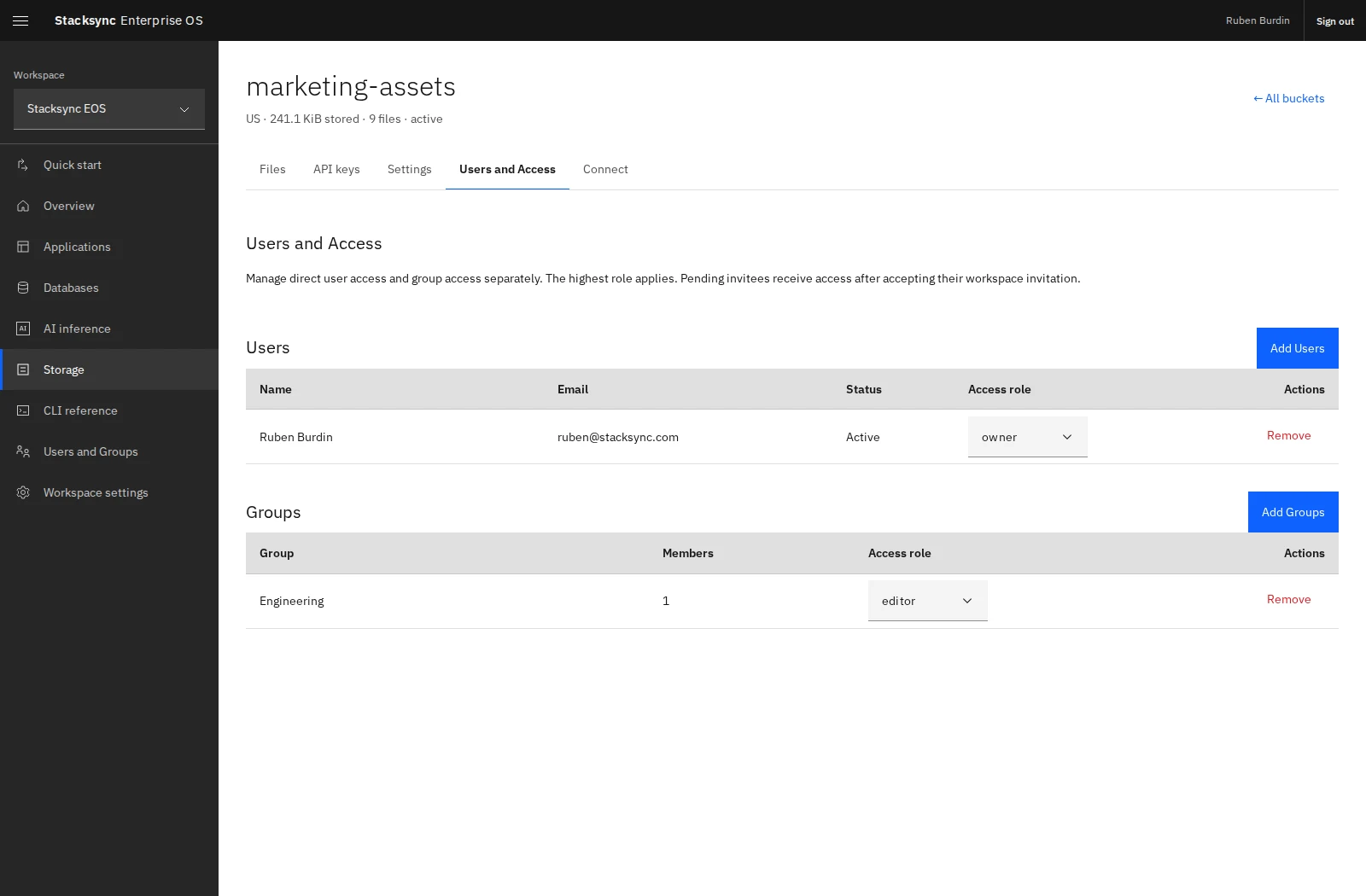
Pending invitees receive their assigned resource access only after accepting a valid workspace invitation. Expired or revoked invitations do not grant access.
Direct and inherited access
The highest applicable role wins across direct and group grants. For example, a person with direct Viewer access and group Editor access has Editor access.
Removing a direct grant does not remove access inherited through a group. Removing a group grant affects everyone who relies on that group for this resource. Removing someone from a group affects all resources shared with that group, while their other grants remain in effect.
At least one direct Owner must remain on a resource. Keep ownership with people who can maintain sharing and manage its lifecycle.
Share from the CLI
Resolve exact resource and recipient IDs before granting access:
eos workspace users --json
eos workspace groups --json
eos app list --json
eos access list apps APP_ID --json
eos access grant apps APP_ID group GROUP_ID operator
eos access grant databases DATABASE_ID user USER_ID editor
eos access grant storage BUCKET_ID user USER_ID viewer
Resource kinds are apps, databases, inference, and storage. Use invitation instead of user when granting a pending invitation. Granting again with a different role changes the existing grant.
eos access revoke apps APP_ID group GROUP_IDUse returned IDs rather than guessing them. App project names are accepted by the eos app share shortcut, but eos access uses the numeric app ID:
eos app share partner-portal teammate@example.com viewerProtect application access separately
The app's runtime policy can admit people beyond its management grants. All workspace members admits internal workspace members automatically, while Specific members requires an applicable explicit grant. See managed authentication before using resource grant removal as a way to revoke app use.
Resource sharing also does not rotate credentials previously copied into applications. Rotate or revoke database, inference, or storage credentials separately when your access change requires it.