

Receive Webhook/HTTP Events
The Webhook Trigger starts your workflow when an incoming HTTP POST request is received. Use it to integrate with external systems, receive data from third-party apps, or trigger workflows manually via API.
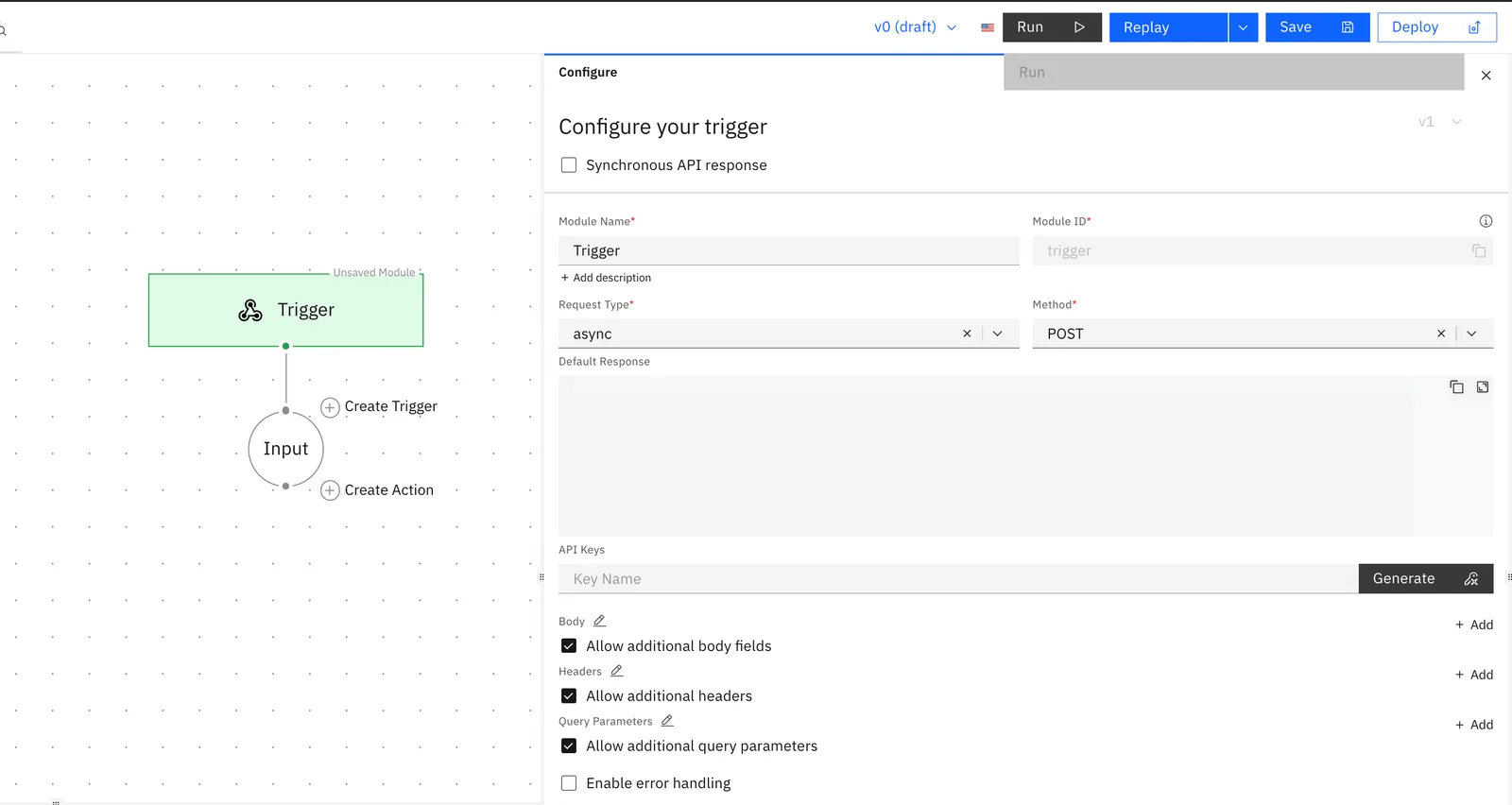
Receive Webhooks / HTTP Events is the default trigger configured in every new workflow.
1. Activate the Trigger
1.1 Create a workflow.
1.2 Save the workflow to activate the trigger.
Once saved, your unique Trigger URL is automatically generated and visible directly in the trigger module.
2. Run your Workflow
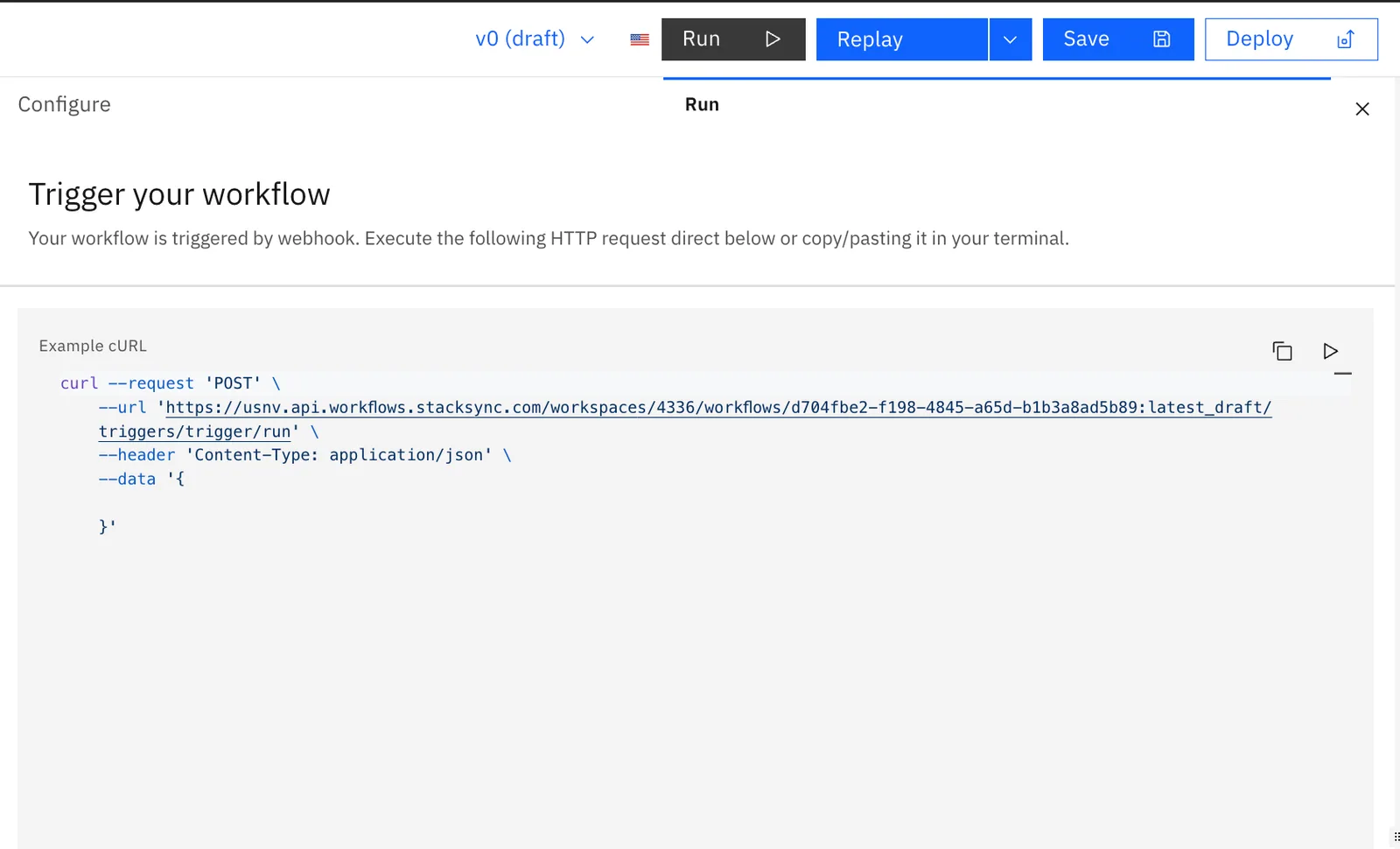
Click Run in the workflow designer to fire the workflow instantly.
3. Payload Available to the Workflow
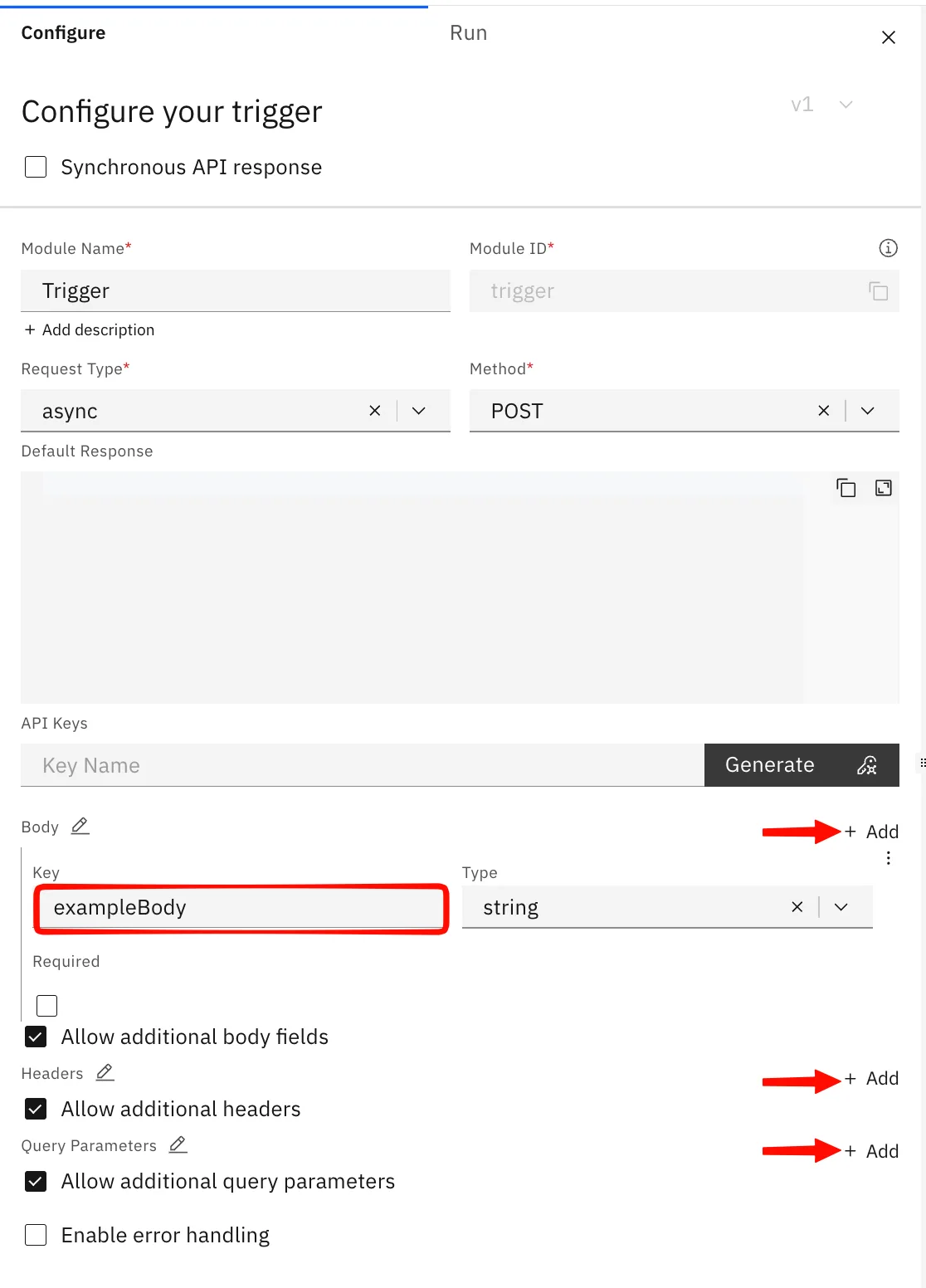
You can define the expected body fields directly in the trigger configuration panel. Click + Add under the Body section to add a key and set its type.
Request Fields
| Field | Description | Example |
|---|---|---|
method | HTTP method used | POST |
body | Full JSON request body | {"order_id": "123"} |
headers | HTTP request headers | {"Content-Type": "application/json"} |
queary parameters | URL Query Parameters | {"page": "1", "limit": "10"} |