

Supabase
Find your Supabase connection URL.
1. Open your Supabase project
2. Click "Connect"
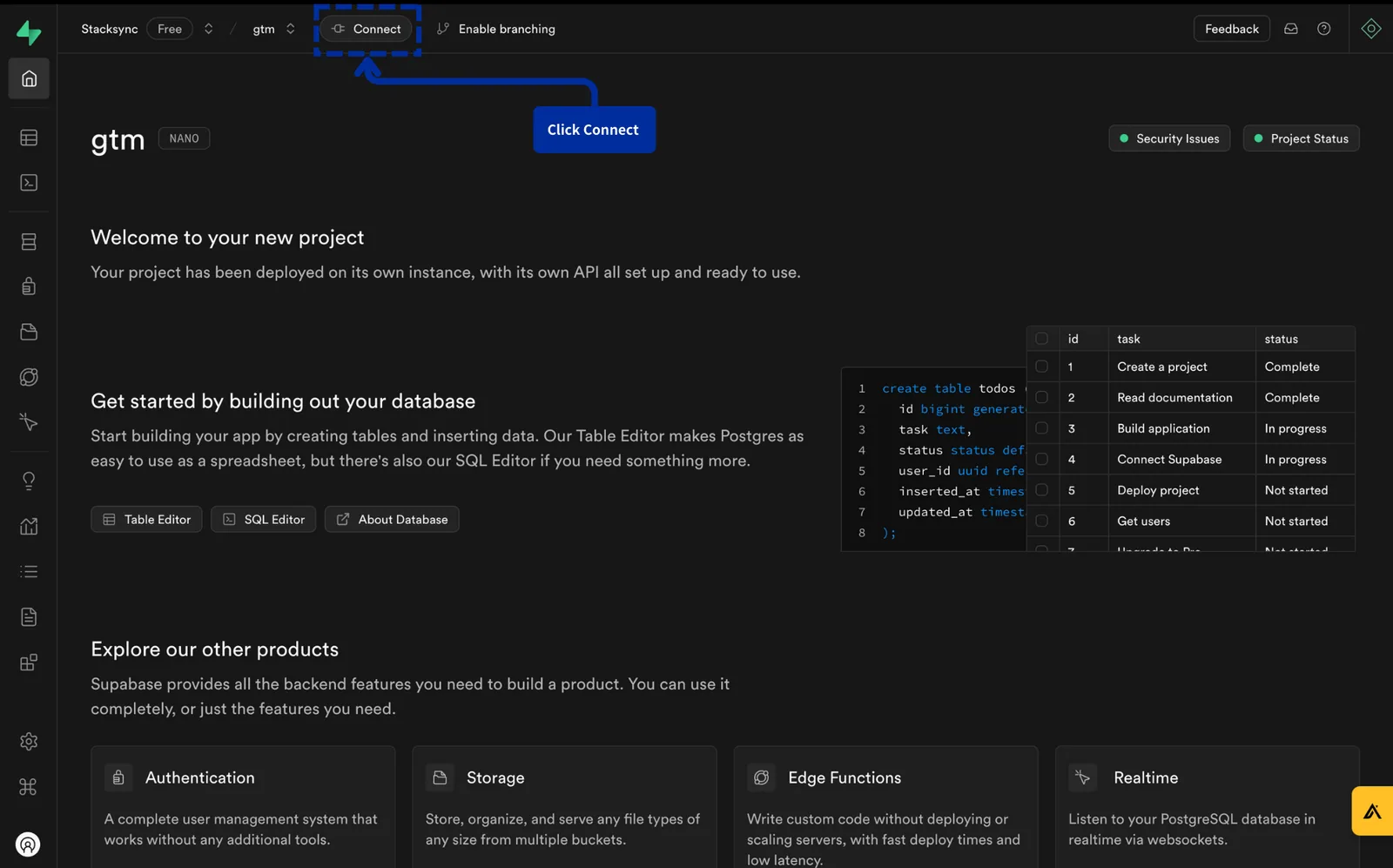
Click "Connect"
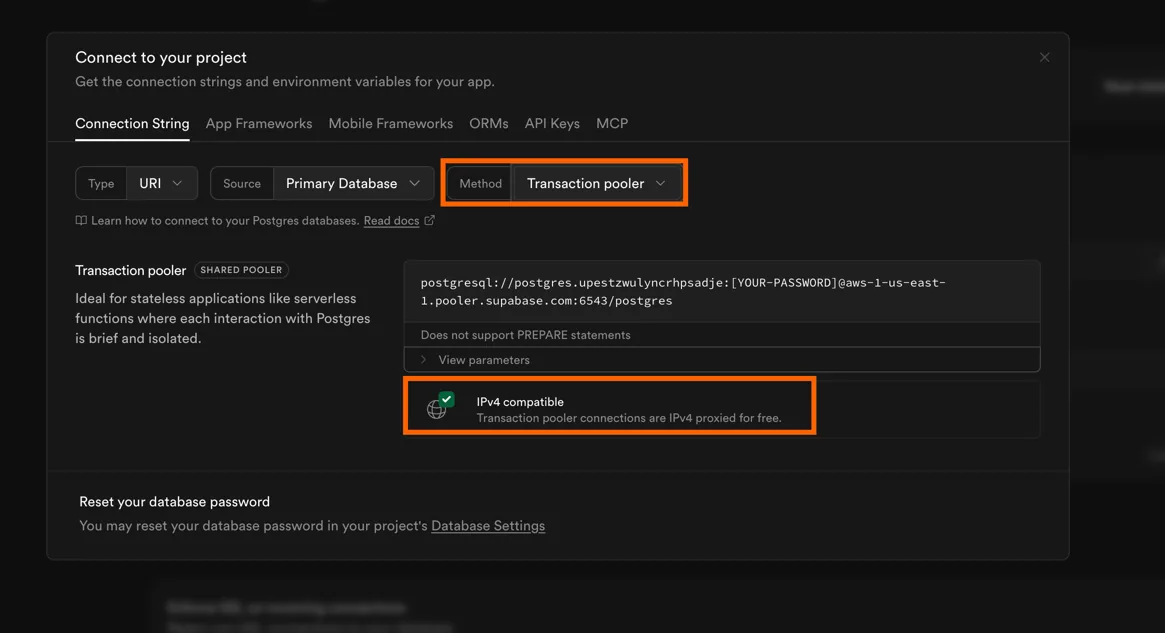
3. Copy connection string
Make sure to:
- use Transaction Pooler. Compared to direct connections, a transaction pooler enables higher connection concurrency without exhausting the database. It improves connection reuse, load isolation, and fault tolerance, ensuring stable performance under high throughput.
- use IPv4-compatible connection string. Stacksync does not currently support IPv6. You must use an IPv4-compatible connection string.
4. Create the connection on Stacksync
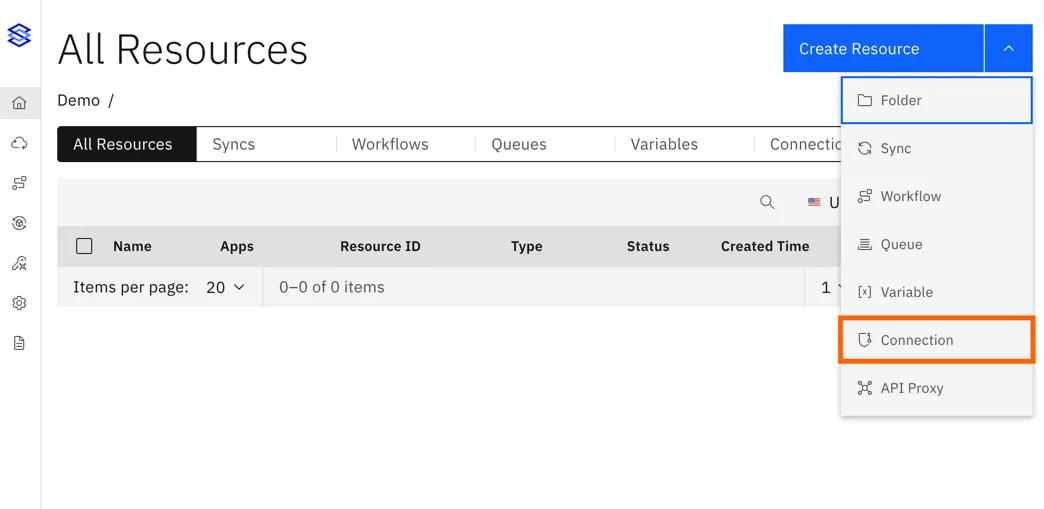
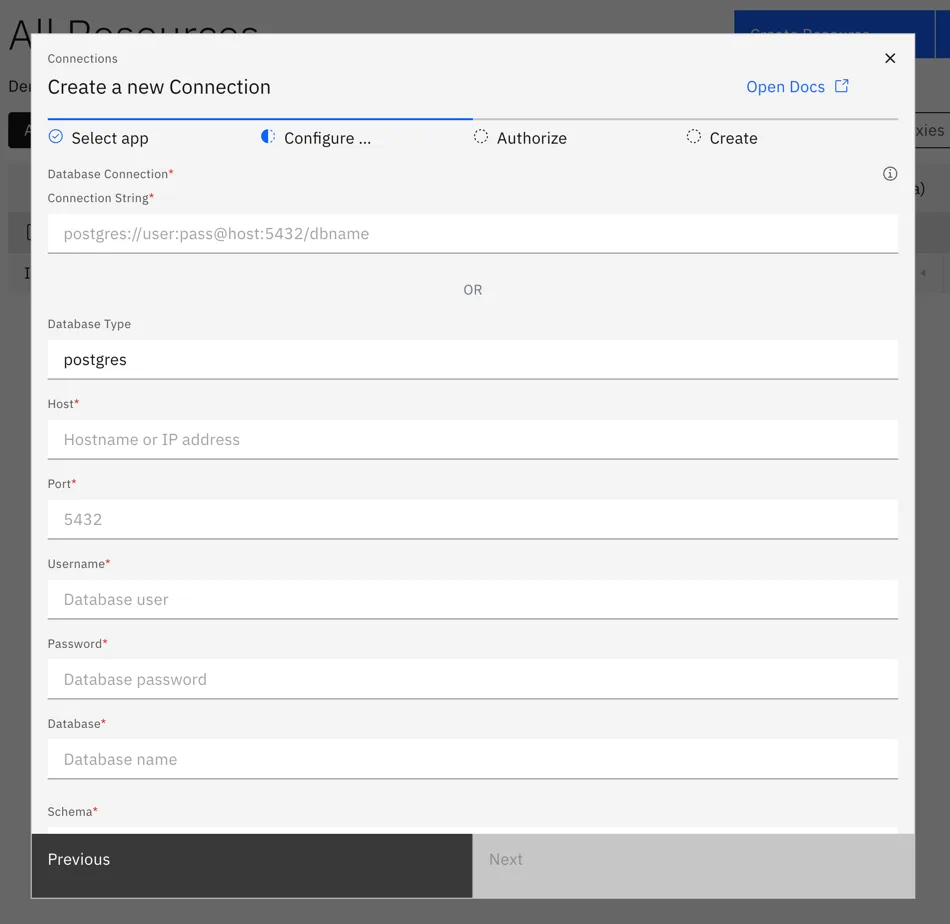
Make sure to fill in all fields, including the password as it may not be copied as part of the connection string.
If you face the error Please use IPv4 compatible supabase connection pooler go back to Supabase app and make sure to use a connection string which is IPv4 compatible.